
Please read these guidelines SLOWLY & CAREFULLY to get the best results from StarTracker.
When using StarTracker (see link below)… please follow these 5 steps carefully:
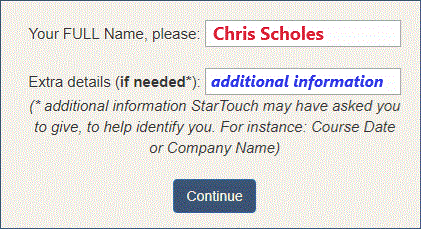
1) Identify yourself
Always enter your full name.
Add other information if StarTouch has suggested it
Press the “Continue” button
2) Type a SHORT, FIRST sentence
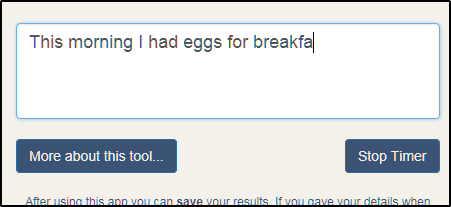
Type anything you like.
Keep it short & simple – not much beyond one line ideally (and nothing hard to spell or needing much thought!)
Press Enter when finished (it’s quicker & easier than clicking the ‘Stop Timer button!)
3) Type more short sentences
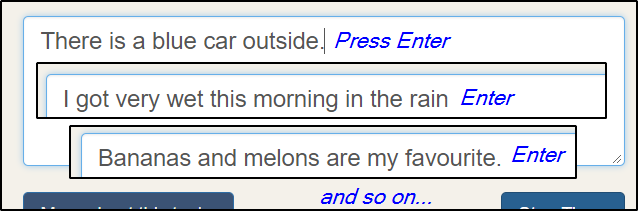
Type between 5 & 10 separate phrases/sentences.
Keep them short & simple.
Press Enter after each short sentence.
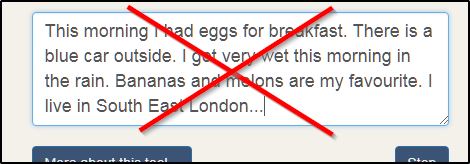
Do NOT type several lines all in one single ‘paragraph’
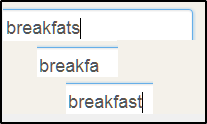
4) Correct as you go if you wish
Don’t rush.
Aim for “right first time”… but feel free to correct any mistakes you do notice, as you spot them.
5) Submit your results
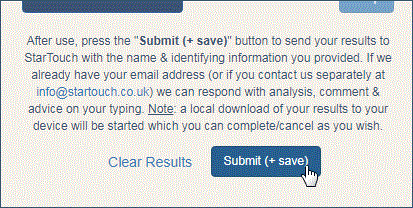
After typing at least 5 or 6 short sentence, submit your results to StarTouch for analysis & feedback:
press the “Submit (+ save)” button.
This sends your results to us.
Note: it also triggers a local download to your computer. But you can complete or cancel this as you wish. There is no need for you to review this downloaded file.
When you’re at a computer with a physical keyboard…
Click here to go to the Typing Tracker
(opens in a new window)